Turn the Design into an Implementation Plan
A design settles the decisions. An implementation plan turns them into work that can be completed, reviewed, and verified.
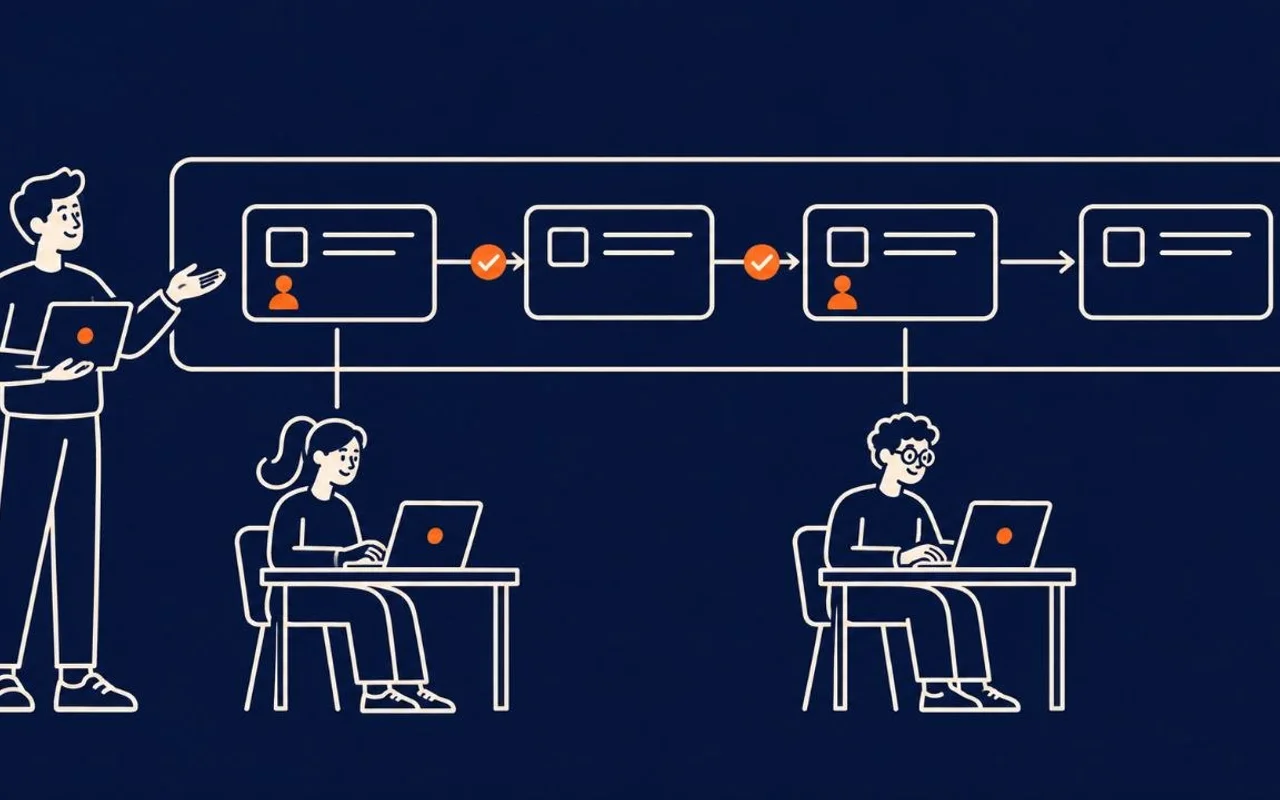
This is where agent workflows go wrong: a team tells three agents to "implement the design," each explores, picks files, adds helpers, and finds adjacent cleanup. The work overlaps before anyone notices.
This part is a tutorial for writing two artifacts — the implementation plan (implementation-plan.md) and the status tracker (implementation-status-tracker.md) — for Tablewait's waitlist auto-promote.
Step 1: Generate the plan from a template
Give the agent the generative prompt and the template — implementation-plan.md is the shape to fill. As in part 3, you can shape that template with the agent instead of writing it by hand. A useful plan names each work package — one bounded outcome, known files, declared dependencies, and proof. The design already fixed the contracts (the WaitlistHold shape, the one-active-hold rule, the four interfaces), so the plan divides work around them instead of redefining them.
Draft implementation-plan.md for this feature.

Use implementation-plan.md as the exact template:
one entry per work package with id, owner, depends_on, files, outcome,
must_not_change, a verification command, and covers (the acceptance
criteria the package proves).

Read first:
- the approved requirements.md and design.md
- the repository, to choose real file paths

Split the work along the design's contracts; do not redefine them. Add an
explicit "do not build" exclusions list. Mark any ordering you are unsure
of as an OPEN DECISION for a human.
The draft it returns looks like this:
# Implementation Plan — Waitlist Auto-Promote

## Work packages

```yaml
# 3 of the 6 work packages are shown
- id: wp1-hold-model-and-index
  owner: implementation-agent
  depends_on: []
  files:
    - src/waitlist/models/WaitlistHold.ts
    - src/waitlist/db/migrations/0012_waitlist_hold.sql
    - src/waitlist/db/holdRepository.ts
  outcome: >
    WaitlistHold model, table, and a unique partial index on (tableId WHERE status='active')
    so the DB enforces at most one active hold per table.
  must_not_change:
    - WaitlistEntry schema
    - Table schema
  verification: npm run test:unit -- holdRepository
  covers: [AC5, AC8]

- id: wp2-promotion-service
  owner: implementation-agent
  depends_on: [wp1-hold-model-and-index]
  files:
    - src/waitlist/services/promotionService.ts
    - src/waitlist/services/selectNextParty.ts
  outcome: >
    promoteNextParty(tableId, actor=host): transaction + row lock, first-come eligible
    selection (size<=capacity, status==waiting, same restaurant), idempotency key per
    (tableId, freedAt), creates one active 5-minute hold or returns null on empty waitlist.
  must_not_change:
    - NotificationService interface
    - Host-only table-status permission
  verification: npm run test:integration -- promotionService
  covers: [AC1, AC6, AC8]

- id: wp4-expiry-scheduler
  owner: implementation-agent
  depends_on: [wp2-promotion-service]
  files:
    - src/waitlist/jobs/holdExpirySweep.ts
    - src/waitlist/jobs/scheduler.ts
  outcome: >
    runHoldExpirySweep() runs ~every 30s, expires active holds past expiresAt using DB now(),
    and triggers the next promotion. Expiry wins over a late decline.
  must_not_change:
    - acceptHold / declineHold signatures
  verification: npm run test:integration -- holdExpirySweep
  covers: [AC3]
```
The download has all six packages, wp1 to wp6. The paths and commands are made up for the example. The structure is what matters.
Note the covers line. It ties each package to the acceptance criteria it proves. A reviewer can check that every AC belongs to at least one package, and part 7 builds its evidence map on the same numbers.
Step 2: Parallelize files, sequence contracts
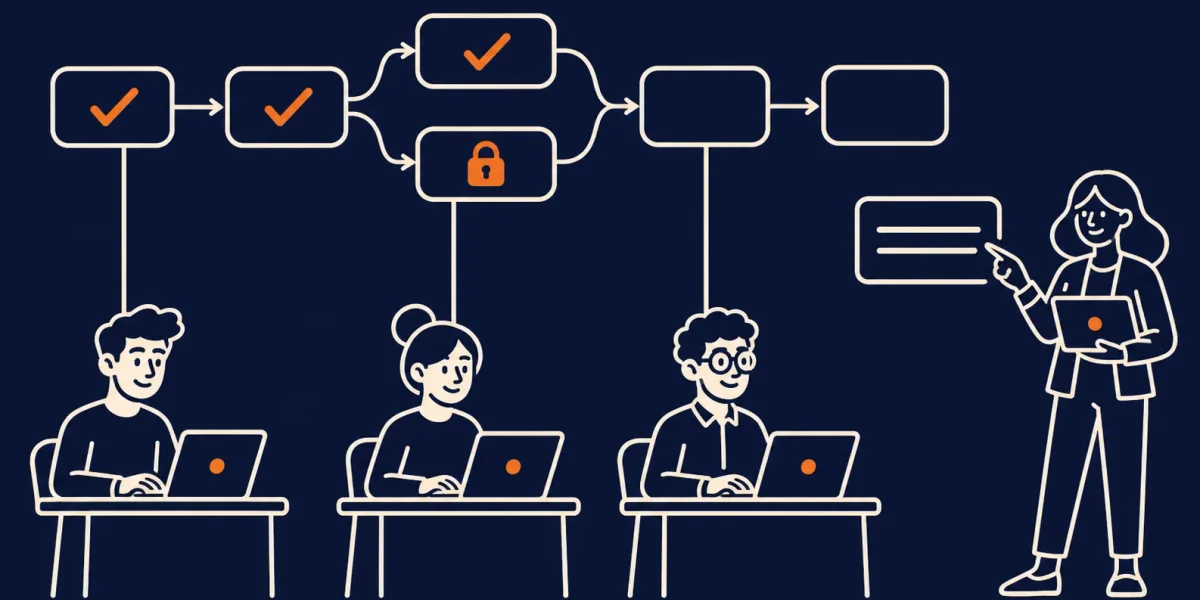
Once the hold model and the promotion service exist, the accept and decline actions (wp3) and the expiry scheduler (wp4) do not depend on each other, so they can run in parallel. The UI (wp5) needs both. The acceptance tests (wp6) come last. That gives a simple rule:
Parallelize independent files. Sequence shared contracts.
Draw the dependency order so an orchestrator knows what can run together and a reviewer knows what must not start from an unfinished assumption.
Step 3: Give each agent a file boundary
Agents do better when the edit boundary is visible.
Implement work package wp4-expiry-scheduler only.

Read:
- design.md
- implementation-plan.md
- src/waitlist/services/promotionService.ts

You may edit only:
- src/waitlist/jobs/holdExpirySweep.ts
- src/waitlist/jobs/scheduler.ts

Do not change the promotion service, the hold model, or the UI.

Run the verification command from the plan. Return:
1. Files changed.
2. Commands run and their results.
3. Assumptions or risks still open.
The boundary is not about distrust. It makes the handoff inspectable — a reviewer can see whether the agent stayed inside its job.
Step 4: Write the exclusions as carefully as the tasks
Agents are good at spotting nearby possibilities. Name the ones that are not part of this change. The shipped plan lists them under "Exclusions — do not build":
- No reservation/booking changes.
- No new notification channel; reuse
NotificationServiceonly. - No VIP/priority queue or waitlist re-ordering.
- No configurable hold duration (fixed at 5 minutes this release).
- No client-trusted expiry — expiry decisions use server/DB time only.
A short "do not build" list lets a reviewer catch scope creep in the diff.
Step 5: Track status as the work lands
A plan says what should happen. A status tracker records what has. Keep it beside the plan so anyone — human or agent — can see the live state without reading the diff.
# implementation-status-tracker.md (excerpt)

**Updated:** 2026-08-08 · **Feature flag:** `waitlist_auto_promote` (OFF everywhere)

| Package | Owner | Status | Evidence | Updated |
| --- | --- | --- | --- | --- |
| wp1-hold-model-and-index | implementation-agent | done | `npm run test:unit -- holdRepository` → 14 passing; migration `0012` applied in CI | 2026-08-05 |
| wp2-promotion-service | implementation-agent | done | `npm run test:integration -- promotionService` → 22 passing; idempotency + row-lock cases green | 2026-08-06 |
| wp3-accept-decline-actions | implementation-agent | in progress | `holdActions` suite 9/12 passing; accept-vs-expire race test still flaky | 2026-08-08 |
| wp4-expiry-scheduler | implementation-agent | blocked | waiting on wp3 accept/expire guard to settle before sweep can assert "expiry wins" | 2026-08-08 |
| wp5-host-and-party-ui | ui-agent | todo | not started; depends on wp3 + wp4 | 2026-08-08 |
| wp6-acceptance-tests | test-agent | todo | AC spec skeleton drafted; blocked on wp5 for e2e | 2026-08-08 |
The tracker is the shared source of truth for "where are we." It turns a pile of agent runs into a legible state a reviewer can trust. Evidence is a command and its result, never a description of the work. No package moves to done without a linked green run of its verification command.
Step 6: Treat verification as part of the package
"Add tests" is not a verification plan. Name the command and the behaviour it proves, and keep it beside the package.
verification:
  requirement: AC3 An unanswered hold expires after 5 minutes and rolls to the next eligible party.
  evidence:
    - integration test: hold expires exactly at the boundary
    - integration test: expiry rolls to the next eligible party
    - test output attached to the pull request
  risk_if_missing: A stuck hold blocks a table indefinitely.
What the finished plan and tracker look like
Put together, the reviewed plan has four sections, in this order:
# Implementation Plan — Waitlist Auto-Promote

## Work packages

## Dependency graph

## Exclusions — do not build

## Verification as part of the package
The status tracker is a second file that sits beside it. It has four sections:
# Implementation Status Tracker — Waitlist Auto-Promote

## Status legend

## Package status

## Checklist

## Notes
Plans should shrink with practice
Early plans are detailed because the team is still discovering boundaries. Over time, repeated facts move into the repository — project instructions, test scripts, runbooks — and the per-change plan carries only what is unique to this change.
What else a plan can contain
The plan above is deliberately small. A fuller plan or task list can add a few things. Use what the change needs and skip the rest.1
- Phases and checkpoints: groups of packages, with a point to stop and validate before moving on.
- Test-first notes: tests to write before the code, where the change calls for them.
- Open decisions and risks: ordering questions or risks a human must settle before work starts.
The packages you just built
implementation-plan.md and implementation-status-tracker.md now join the pack. The next part runs the plan, one work package at a time.
Download this stage's package (.zip) — the implementation plan, the status tracker, and the pack README. The complete pack is linked from the series guide and the final part.
Related reading
- Write the Design Before You Split the Work
- AI Wrote the Code. Now Prove It.
- Spec-Driven Development in Practice: A Walkthrough with Spec Kit
Footnotes
-
This list draws on the Spec Kit tasks template, which groups tasks into phases with checkpoints, marks tasks that can run in parallel, requires exact file paths, and puts tests first when a feature asks for them, along with common work-breakdown practice. ↩